
Autoplatba
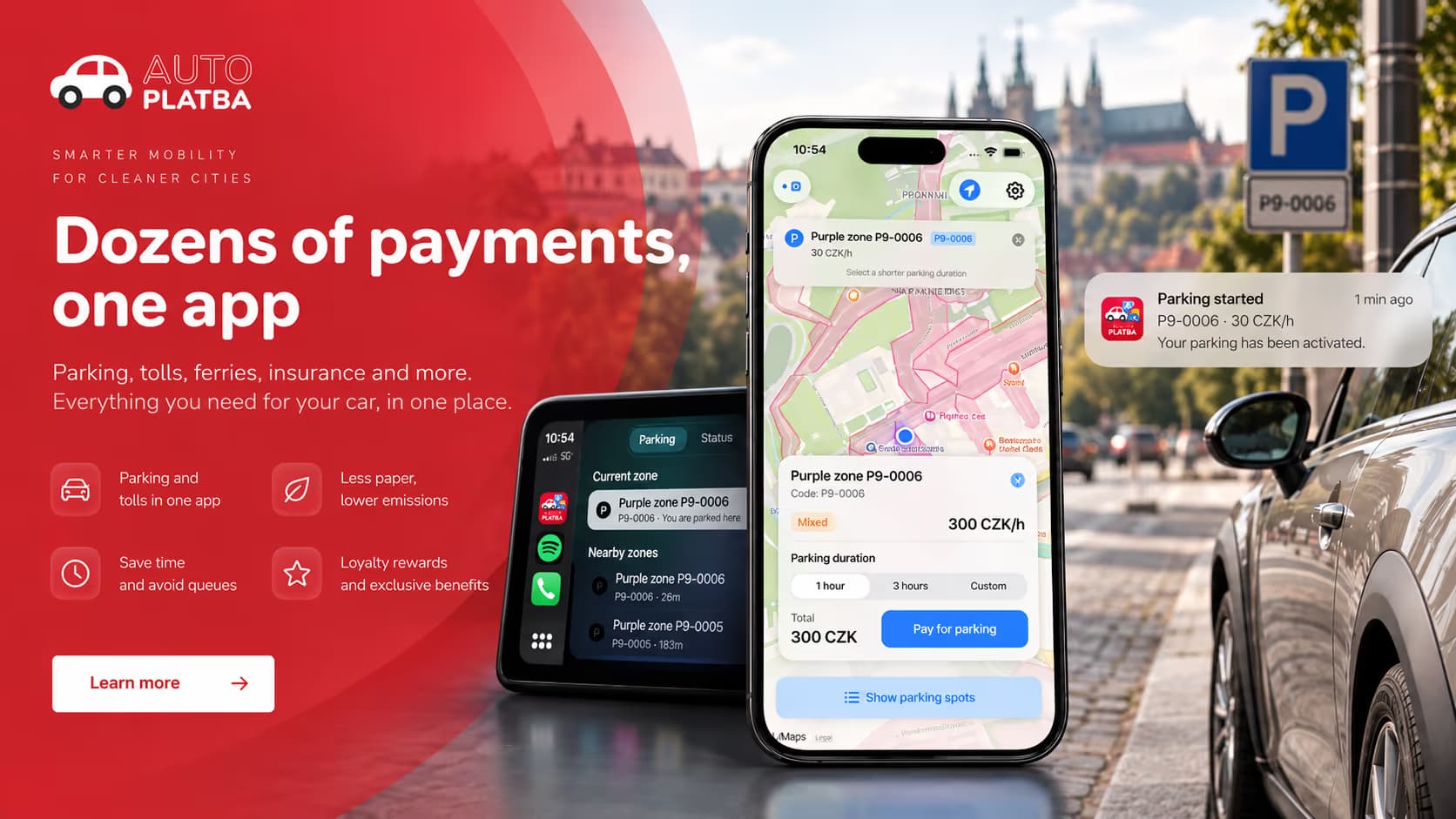
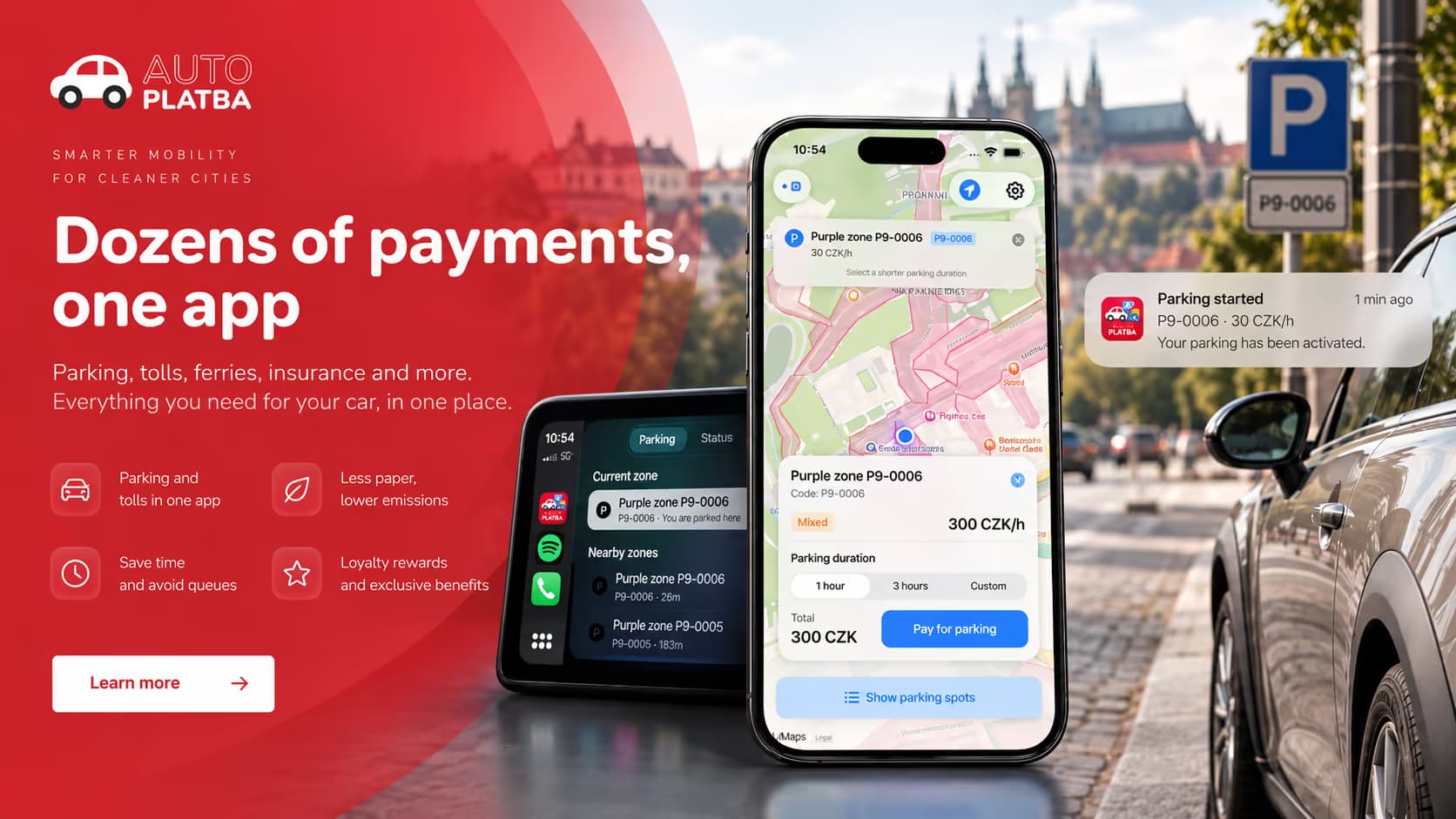
A smart parking application that removes friction from finding the right zone, starting a session and paying for it. Devehope built the native iOS app and the systems behind automatic detection, reservations, payments and the Apple ecosystem.
Technology
Parkingisstillachainofsmallfrictions
After arriving, drivers often have to identify the zone, understand the tariff, enter the vehicle, choose a duration, pay and remember when the session expires. Ticket machines, barriers and separate payment systems add more steps.
Autoplatba starts from a simpler idea: the phone and the vehicle already provide enough context to make much of that automatic. The system can detect that parking has likely happened, resolve the surrounding zone and bring the relevant action to the driver.
The phone and the vehicle already provide enough context to make much of the parking process automatic.
Fromaparkingapptoacontext-awaremobilityservice
The technical challenge was not another map with a payment button. Autoplatba connects systems that usually operate independently, so the app can react to what is happening around the driver.
- 01
Vehicle context
Movement and parking events.
- 02
GPS
The current position.
- 03
Zone geometry
Municipal parking polygons and tariffs.
- 04
Reservations
Backend state for the session.
- 05
Stripe
Payments, Apple Pay and saved methods.
- 06
Apple ecosystem
CarPlay, Siri, Live Activities and notifications.
AGPSpointisnotyetaparkingzone
Autoplatba loads surrounding parking areas from the backend as geographic polygons and tests the driver’s location against that geometry. Point-in-polygon decides whether the vehicle is inside a specific zone. When there is no exact match, nearby zones can be offered as alternatives.
Zones carry categories, boundaries and time-dependent prices, so the app can move from a raw coordinate to useful parking information. Surrounding zones are cached by time and distance, so the experience stays responsive without requesting the same geography continuously.
- 01
Vehicle event
- 02
Location
- 03
Zone data
- 04
Geometric analysis
- 05
Parking context
- 06
Notification
From a coordinate to parking context.
Paymentisalifecycle,notacheckoutbutton
A reservation may exist before payment finishes. Payment can be interrupted. Authentication may be required. The app may be closed and reopened while parking is active, and a session may need to be extended or ended early.
Stripe handles processing, including saved payment methods and Apple Pay. Incomplete reservations stay separate from active sessions, so leaving halfway through can be recovered instead of losing state or creating a duplicate charge. Sensitive payment identifiers live in the iOS Keychain.
- 01
Zone and duration
- 02
Create reservation
- 03
Initialize payment
- 04
Confirm transaction
- 05
Activate session
- 06
Track remaining time
- 07
Extend or finish
CarPlayandSiri,whenanormalcheckoutisnotavailable
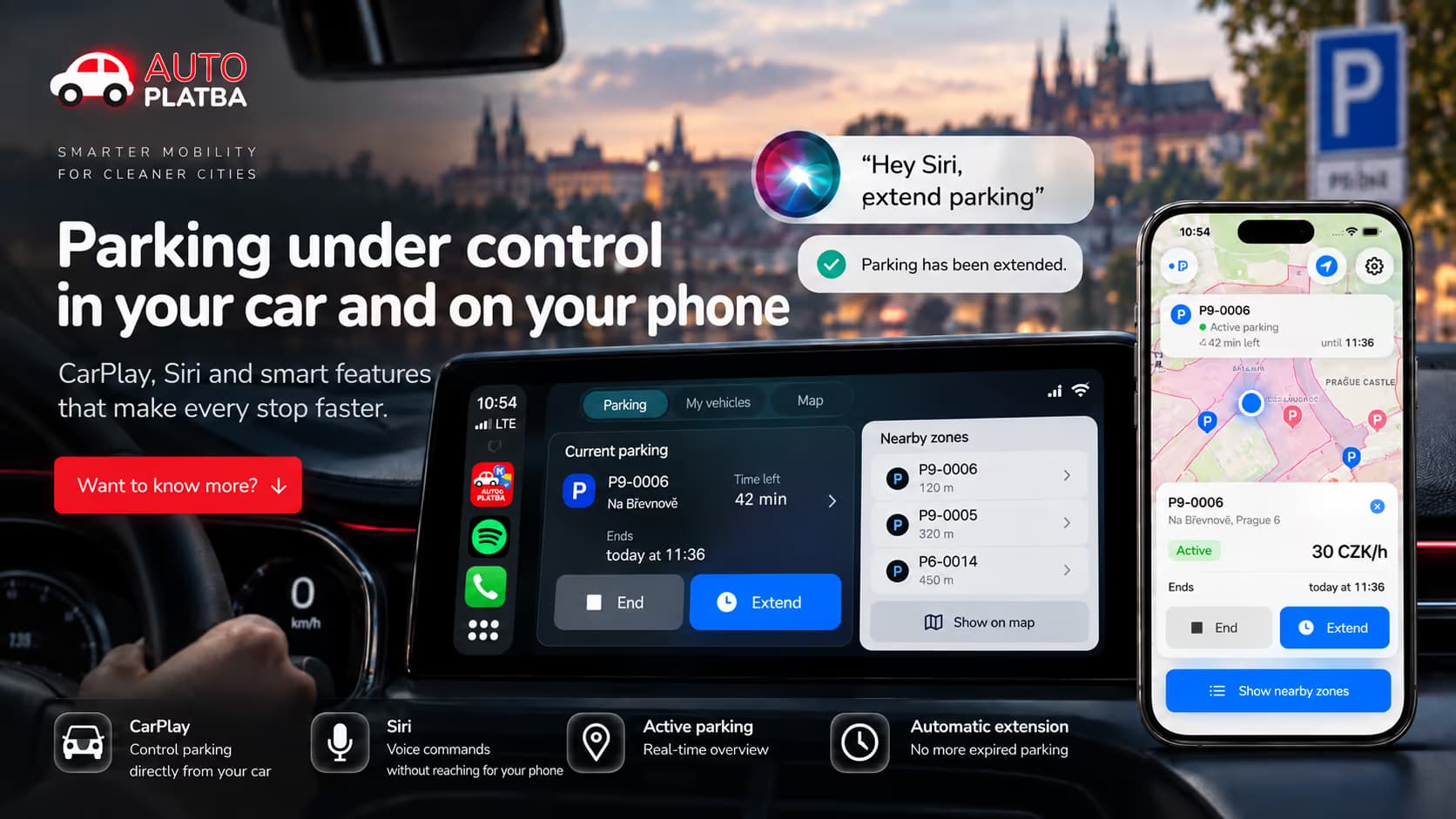
With a previously configured payment method, supported parking actions can start without forcing the driver through the full interface. Siri covers status, the current zone, start, stop and extend. CarPlay has a dedicated in-car view for nearby zones, current parking and the active session.
The payment architecture distinguishes transactions that can finish in the background from those that need extra authentication. If Stripe requires an interactive step such as 3D Secure, the flow returns the driver to the full application instead of attempting an incomplete background payment.
- Check the current parking status
- Identify the current zone
- Start parking
- Stop parking
- Extend an existing session
Thesessionfollowsthedriver
Once a session is active, opening the app should not be required. ActivityKit exposes it through Live Activities, the Lock Screen and Dynamic Island: zone, remaining time, status and current price. Notifications cover detection and session changes.
iOS itself becomes part of the interface. Parking information follows the user across the phone, the operating system and the vehicle.
Physicalanddigitalstatestayinsync
The driver can close the app. The system can suspend background execution. A payment can be cancelled. The backend may already hold a reservation. A session can expire while the app is inactive.
Active sessions are persisted locally and reconstructed after restart. Returning to the foreground re-evaluates parking state instead of trusting only background timers, and existing Live Activities can be reconnected. If the backend reports a conflict, the app can query reservations for the vehicle, restore a valid session, clear stale state and continue. Pending reservations from an interrupted payment can be recovered or cancelled.
- 1
App state
Local session, rebuilt after relaunch.
- 2
Reservation backend
The source of truth for the parking session.
- 3
Payment provider
Stripe state, including interrupted checkouts.
- 4
Live Activity
Reconnected when the app returns.
Abroadermobilityinterface,beyondthisiOSapp
The parking application is one part of a wider idea: a common interface between drivers and mobility infrastructure. The product direction includes barrier access, reservations, loyalty, visitor feedback, facility utilization, motorway tolls and vignettes, charging and other vehicle-related payments.
Those capabilities are the wider Autoplatba direction and should be read separately from the iOS functionality described above. For operators, the path runs from a single payment toward a digital relationship: reservations, retention and better use of capacity.
Autoplatba has also taken part in projects supported through the Creative Vouchers programme of the Czech Ministry of Culture, with publicly listed projects for 2023 and 2024.
Onejourney,severalsystems
Parking is detected
Vehicle or location context indicates that a parking event may have happened.
The location is analyzed
Nearby zones are loaded and the GPS coordinate is tested against their boundaries.
The zone is suggested
The driver gets the relevant parking context instead of searching for a zone number.
Parking is confirmed and paid
A reservation is created and Stripe handles the transaction.
The session follows the user
It appears in the app, on the Lock Screen and in Dynamic Island.
It can be managed elsewhere
Supported actions also run through CarPlay or Siri.
State stays synchronized
Local session, reservation and payment stay consistent across restarts and interruptions.
WhatDevehopebuilt
Native mobile engineering
A Swift and SwiftUI application integrated with iOS, not a website wrapped for mobile.
Reservation-aware checkout
Stripe, Apple Pay, saved methods and recovery of interrupted transactional state.
Geospatial computation
Zone geometry, GeoJSON, location search and point-in-polygon detection.
Platform integrations
CarPlay, Siri App Intents, notifications, Live Activities and Dynamic Island.
Thebestparkingexperienceremovestheinteraction
For the driver, the desired result is straightforward: park, confirm the relevant information and continue with the day. Making that possible means the software has to understand location, city infrastructure, vehicle context, payment state and operating-system limits at the same time.
The difficult part was not any one of those systems. It was making them work as one coherent experience.
Selectedprojects
From regulated FinTech and RegTech platforms to AI systems, marketplaces, and large e-commerce ecosystems.







Lawyers Marketplace
Website and marketplace platform for attorneys and law firms