
JuristIS
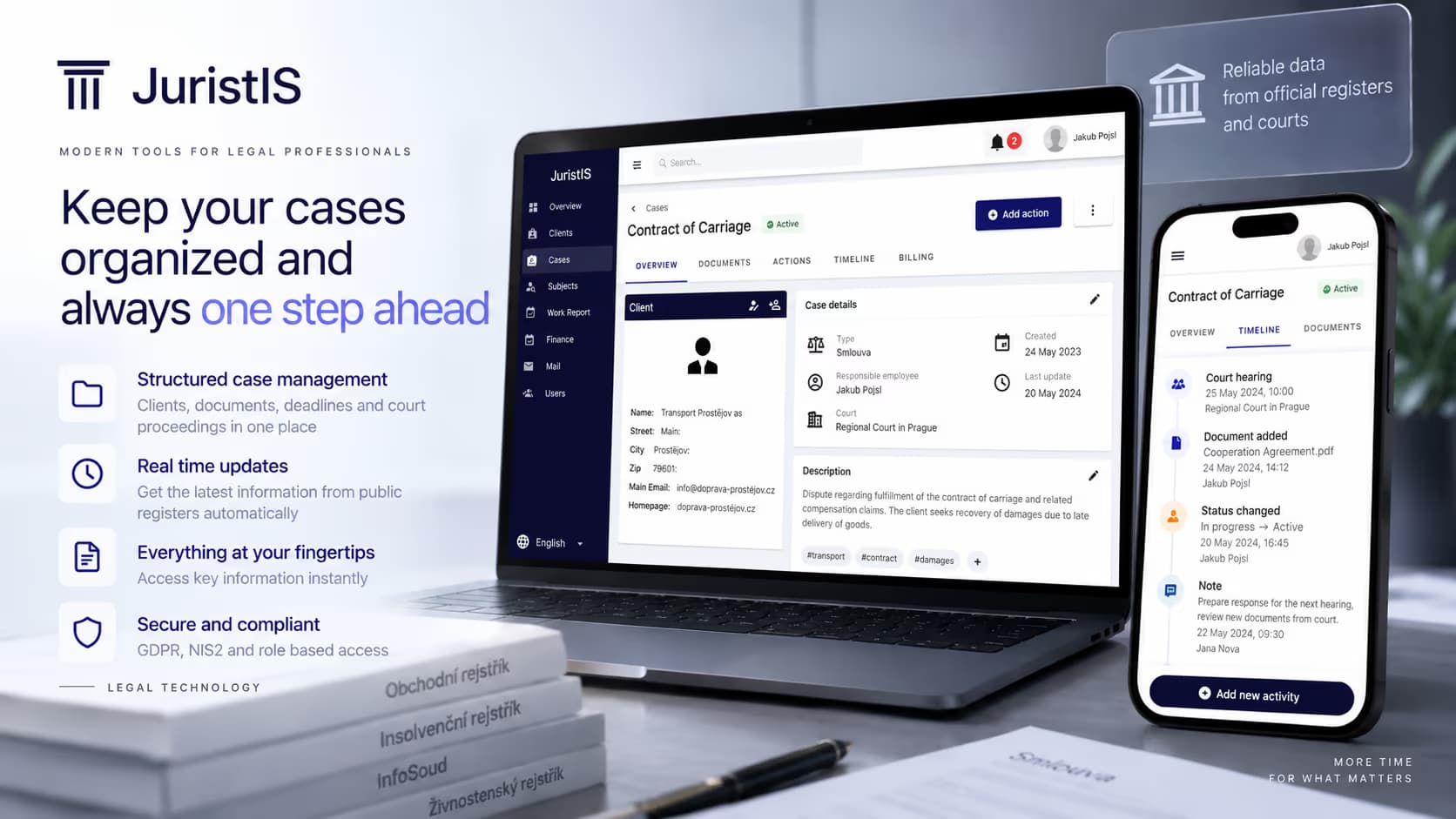
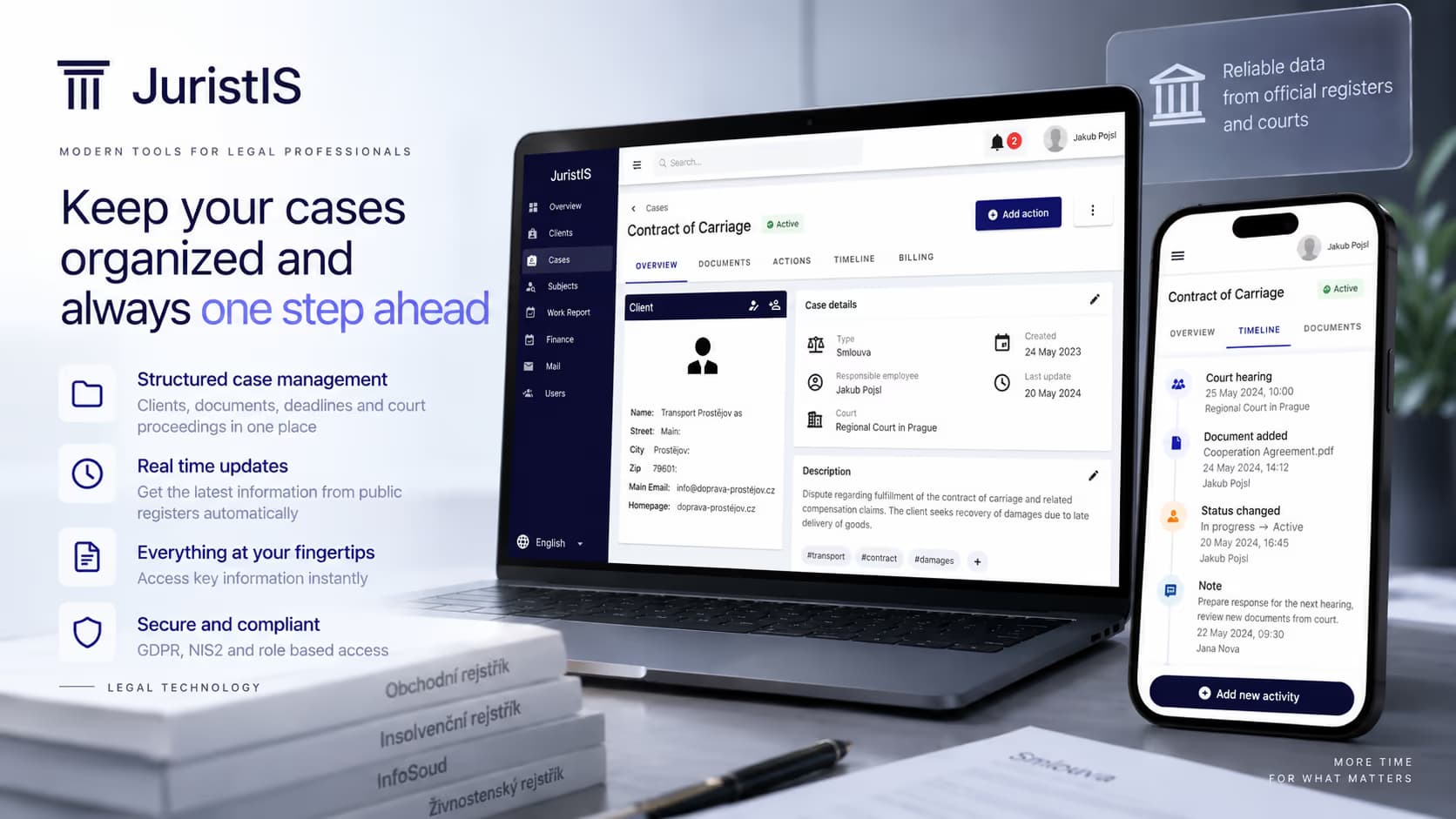
This project involves the development of an advanced information system tailored for legal offices, focusing on the aggregation of data from public databases. The primary objective is to enhance the efficiency of legal processes by automating data retrieval and management, allowing legal professionals to focus on higher-value tasks. The scope includes integrating multiple external government databases, providing a robust document management system, and ensuring secure access control for various user roles.
Technology
SystemSpecificationandDesign
The system is designed to serve small to medium-sized legal offices, addressing the needs of legal professionals by integrating public databases to streamline client management, case tracking, and document organization. The initial phase involved analyzing legal office processes to identify the system's essential functions, such as client tracking, document management, and task billing.
UML models were employed to capture the system's design, including use case diagrams for core features like user authentication, client management, and case tracking. The design was iteratively refined based on feedback from legal professionals, ensuring that the system meets real-world needs.
The user interface was designed with a focus on ease of use, following an iterative prototyping process. User feedback was incorporated at each stage to refine the interface, resulting in a streamlined workflow for legal professionals.

Three-TierArchitectureandMVPPattern
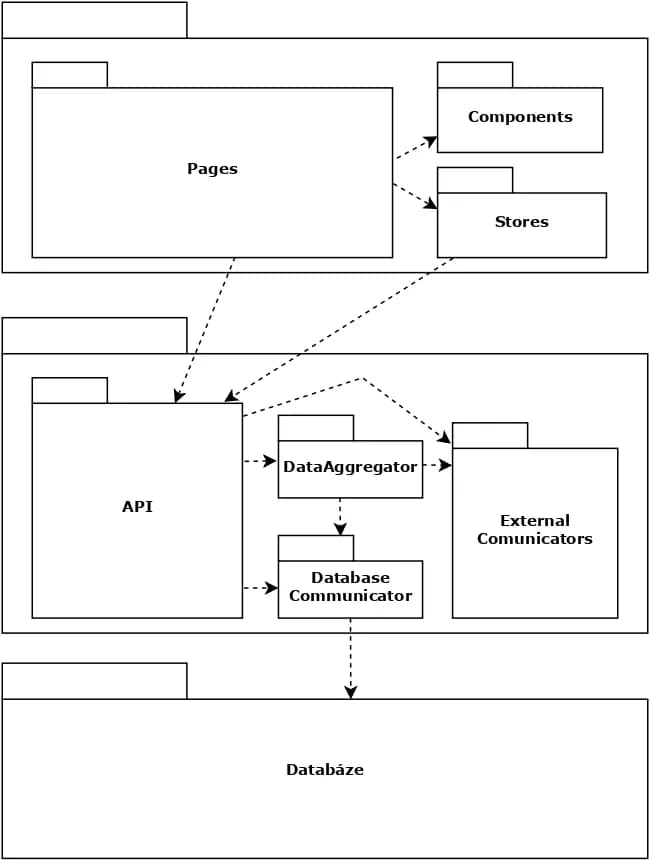
The system is built on a three-tier architecture that separates the user interface, business logic, and data storage layers. This architecture supports scalability and ease of maintenance.
The Model-View-Presenter (MVP) pattern is used to decouple the user interface from the business logic, allowing for independent development and testing of the system's components. The architecture includes a View Layer that handles the user interface and client-side logic, a Presenter Layer that manages interactions between the view and model layers, and a Model Layer that represents the data and business logic, including database operations.
The database is designed to store various entities such as clients, cases, documents, and user activities. An Entity-Relationship (ER) diagram was created to visualize the relationships between these entities, ensuring efficient data retrieval and storage.
IntegrationwithExternalDatabases
One of the system's key capabilities is integrating data from multiple public databases, including the Commercial Register and the Insolvency Register. This integration allows legal professionals to access comprehensive client information directly within the system.
The project faced challenges in standardizing data formats from different sources. The system includes a data aggregator module that normalizes data into a consistent format, ensuring seamless integration across various external databases.
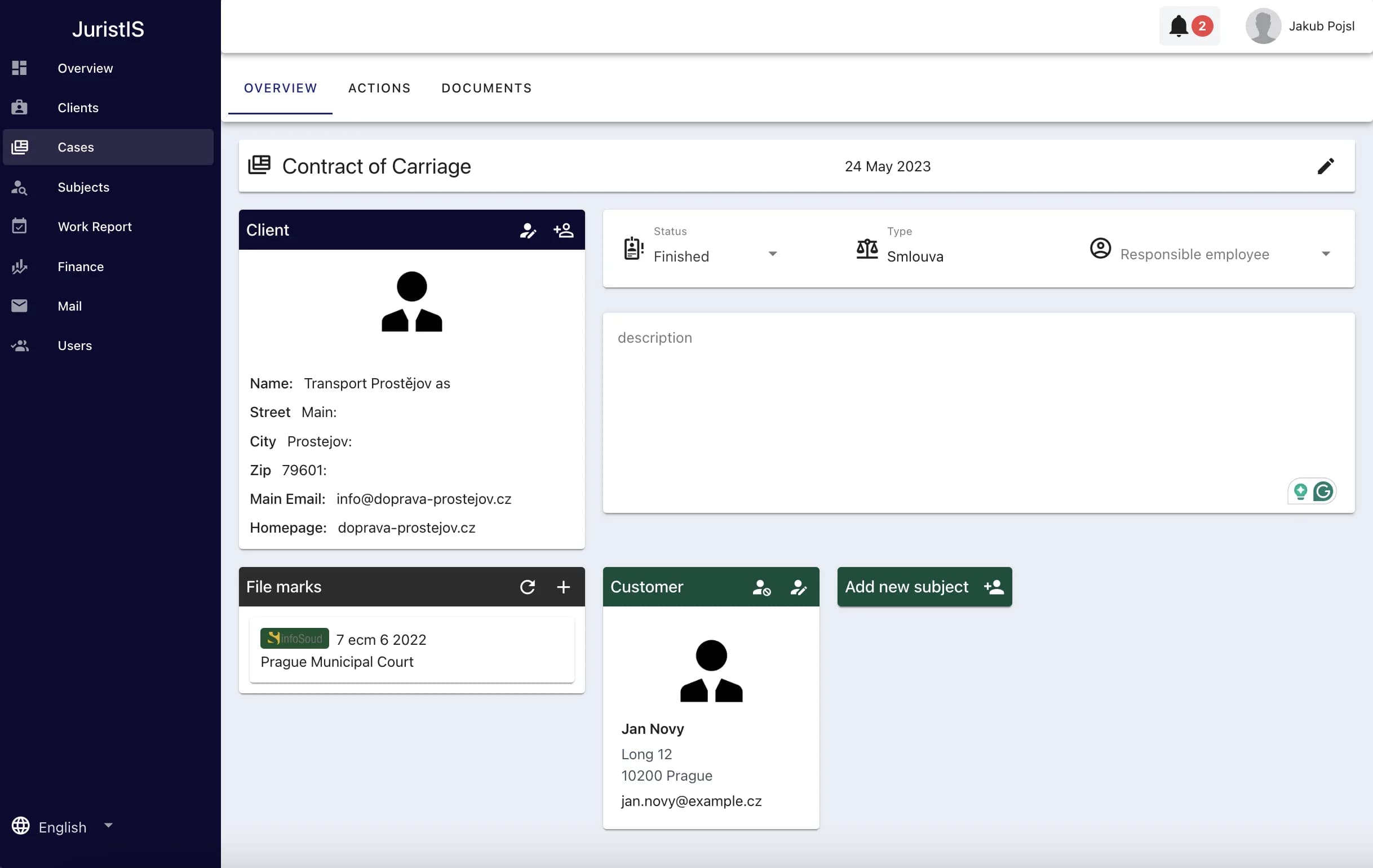
The case management feature allows legal professionals to track the progress of cases, including deadlines, court dates, and associated documents. Client, court and hearing information is automatically retrieved and updated from government public registers, ensuring all data stays up to date.
WorkTrackingandBillingAutomation
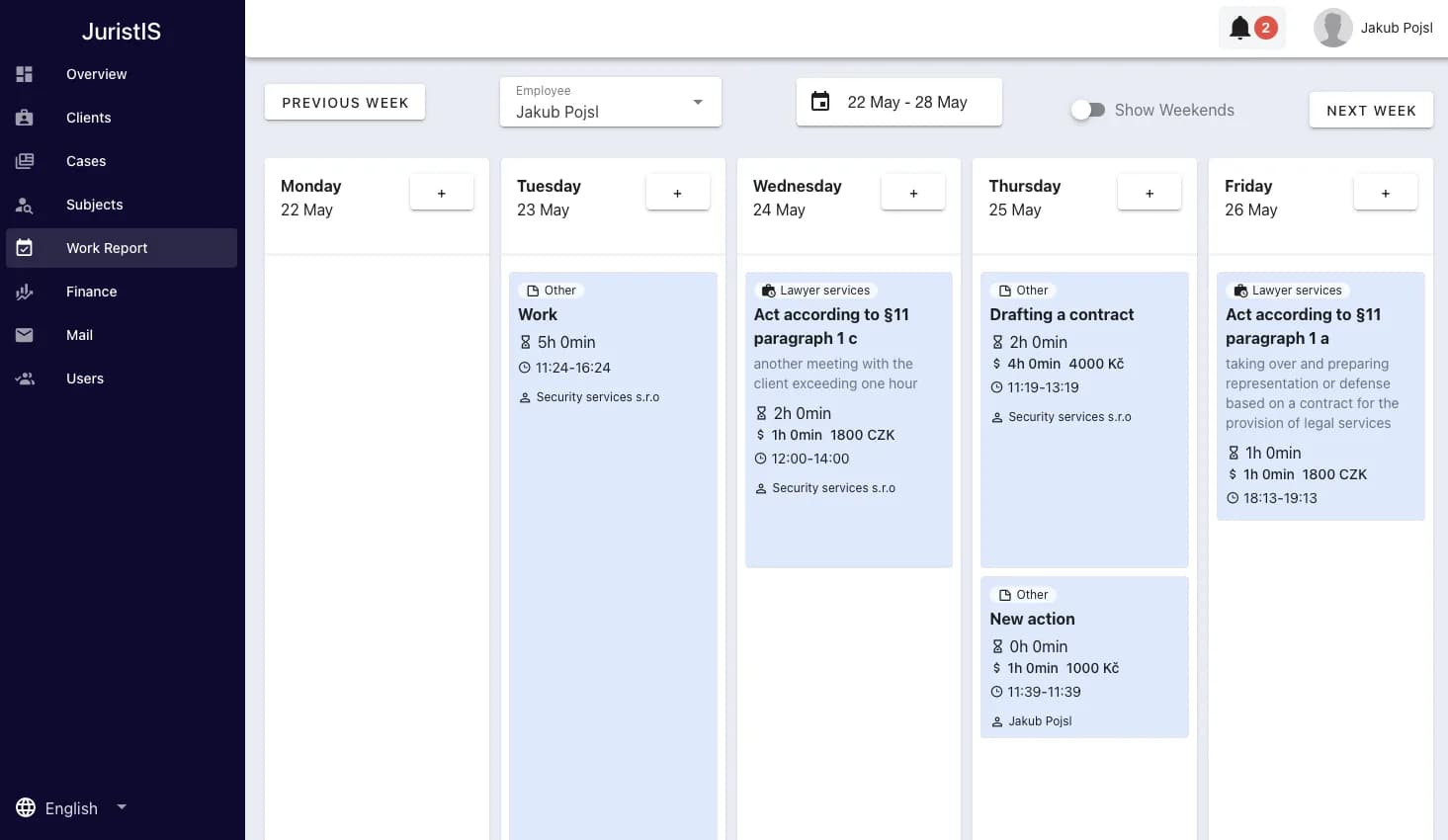
The system includes tools for tracking employees' work and billable hours for simple generation of invoices based on defined rates or legal tariffs. This feature reduces administrative overhead, ensures accurate billing for legal services, and simplifies work organization.
The system integrates with the Czech Data Boxes (ISDS) for managing legal correspondence, ensuring that all legal communications are securely stored and easily accessible within the system.
DocumentManagementandAccessControl
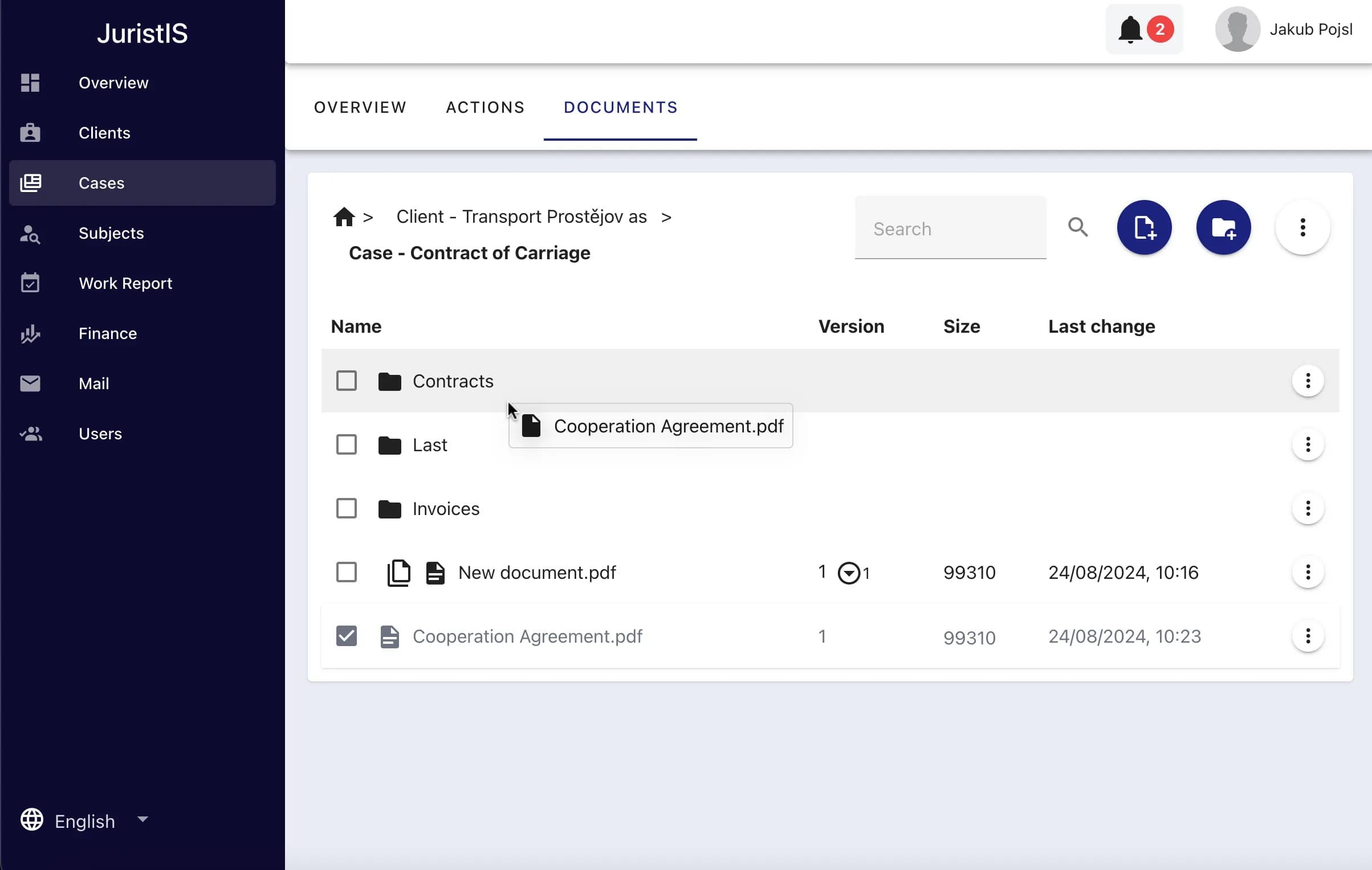
A custom document management system allows users to organize documents in a hierarchical structure, supporting version control and easy retrieval. The system also offers integrations with common cloud storage providers such as Google Drive for convenient and secure document handling.
The system uses secure authentication methods, including OAuth-based login and two-factor authentication, ensuring that only authorized users can access sensitive information. Role-based access control (RBAC) restricts access to specific system features based on user roles — office administrators, lawyers, and assistants — configurable through a robust permission management system.
Connectedpublicregistermodules
Five dedicated modules keep client, court, and company data continuously up to date inside the system.
InfoSoud
Retrieves court case information and updates users on new developments.
InfoJednání
Provides real-time updates on court hearings, including dates, times, and any schedule changes.
Insolvency Register
Monitors ongoing insolvency proceedings and alerts users to relevant changes.
Company Register
Monitors company records, notifying users of changes in structure, management, documents, or status.
Self-Employed Register
Tracks self-employed individuals, updating users on new registrations, cancellations, or changes.
Testing,deployment
Functional Testing and User Scenarios
Extensive functional testing was conducted to ensure that all system features work as expected. Test scenarios were designed to mimic real-world use cases, identifying and resolving potential issues before deployment.
Integration Testing with External APIs
The integration with external databases and APIs was rigorously tested to ensure data consistency and reliability. Automated tests were implemented for critical functions, such as data retrieval and user authentication.
User Feedback and Iterative Improvements
User feedback was collected during beta testing, leading to several improvements in the system's usability and performance, including optimizing the user interface and refining the document management workflow.
Deployment Strategy
The system was deployed on a cloud platform, ensuring scalability and high availability. A continuous integration/continuous deployment (CI/CD) pipeline was established to streamline updates and maintenance.
Future Enhancements
Planned future enhancements include expanding the system's integration with additional public databases and improving the analytics features for better decision-making support.
Atoolthatgiveslegalprofessionalstheirtimeback
The project successfully developed a comprehensive information system for legal offices, integrating public databases and automating key administrative tasks. The system has the potential to significantly enhance the efficiency of legal professionals by reducing manual data entry and improving access to critical information. Future developments will focus on expanding the system's capabilities and ensuring it remains a valuable tool for legal professionals.
Selectedprojects
From regulated FinTech and RegTech platforms to AI systems, marketplaces, and large e-commerce ecosystems.



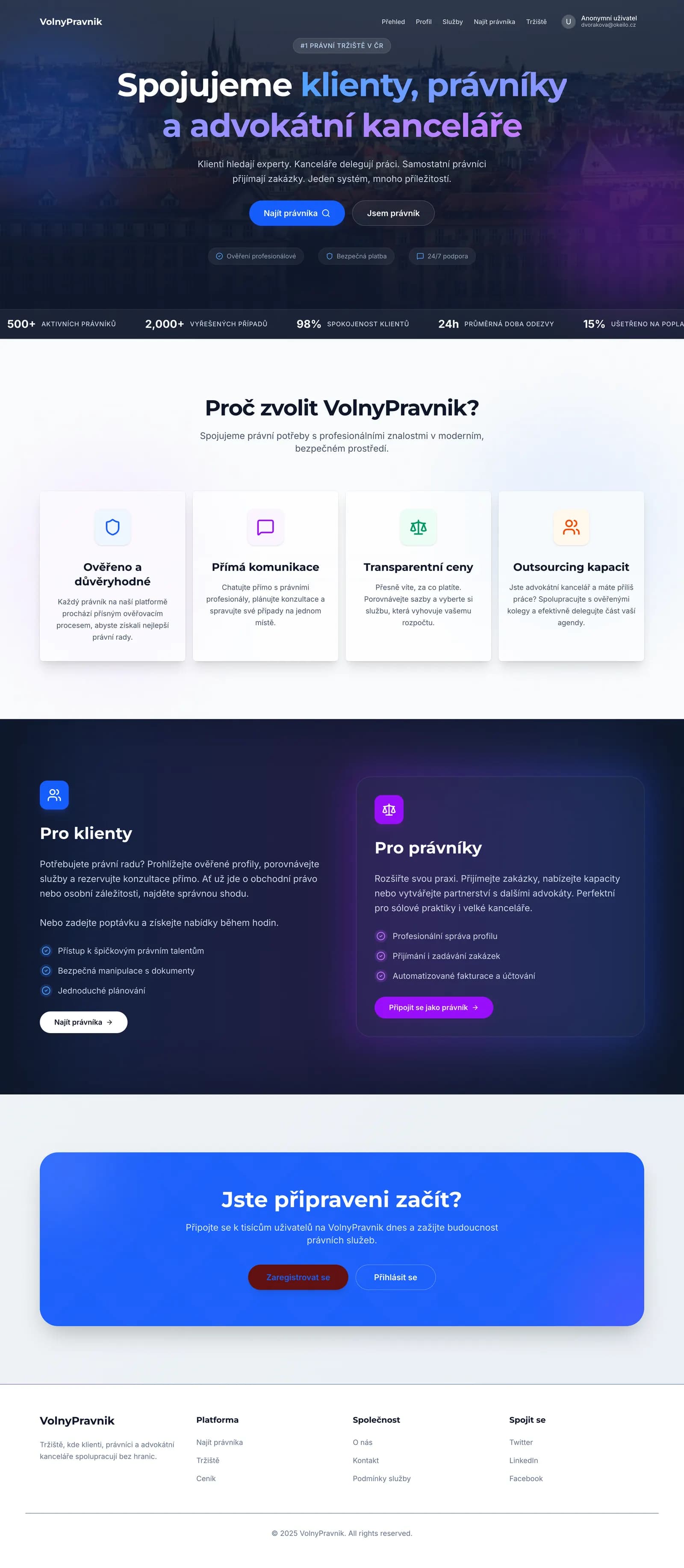
Lawyers Marketplace
Website and marketplace platform for attorneys and law firms